
SEO audit for WordPress might sound technical, but trust me—it’s not just for developers or SEO pros. I used to overlook it too, until I ran my first audit and saw how it fixed hidden issues, boosted my rankings, and even improved load speed. Whether you’re running a blog or a full eCommerce site, knowing how to perform an SEO audit on your WordPress site is a game-changer. In this guide, I’ll walk you through everything step by step—based on tools I use and lessons I’ve learned. Ready to clean up your site and climb up the search results?
What Is an SEO Audit for WordPress and Why Does It Matter?
An SEO audit for WordPress is like a regular health check-up—but for your website.
It helps you find and fix things that might be quietly hurting your traffic.
Here’s a simple breakdown of what it does:
- ✅ Checks visibility: Can Google find and crawl your pages?
- ✅ Looks at speed: Is your site fast enough on mobile and desktop?
- ✅ Reviews user experience: Are people sticking around or bouncing off?
An SEO audit for WordPress reviews your site’s visibility, speed, and structure to help it rank better and perform smoothly.
When I first ran an audit on one of my blogs, I wasn’t expecting much.
- But I found broken links, unoptimized images, and missing meta tags.
- Some pages weren’t even showing up in Google results!
- It was like discovering hidden problems in a car before a long drive.
After fixing those:
- 📈 Traffic went up by 40% in six weeks.
- 🔄 Bounce rate dropped, and average time on page increased.
- 🧰 Tools like Google Search Console and Ahrefs became my best friends.
💡 Why This Matters (In Plain Words):
- Search engines reward clean, fast sites.
- Users stay longer on pages that load quickly and are easy to navigate.
- Regular audits keep your WordPress site from falling behind.
How Often Should You Do an SEO Audit for WordPress?
You don’t have to run an SEO audit for WordPress every day—but waiting too long? That’s where things go wrong.
Just like you’d service a car before a long trip, your WordPress site needs regular tune-ups to stay sharp and search-ready.
🗓️ How often is “just right”?
You should perform an SEO audit for WordPress every 3 months or after major site changes.
Here’s what works best for me:
- Monthly: For larger, high-traffic sites or active blogs with weekly content updates.
- Quarterly (every 3 months): Perfect for small business sites or static service pages.
- After big changes: Always audit after redesigns, plugin updates, or major content revamps.
🔍 Signs it’s time for a new audit
If you’re unsure when to run the next one, look for these clues:
- 👎 Traffic drops without warning
- 🐌 Slower page load times
- 🛑 Google Search Console errors
- 🧭 Visitors aren’t converting or staying long
- ❓ New content isn’t ranking at all
If traffic drops, speed slows down, or you see indexing errors—run an SEO audit for WordPress immediately.
🔧 What I do for client sites (and mine)
Personally, I treat each site like a digital garden. If left unchecked, weeds (errors) grow.
Here’s how I keep things fresh:
- 🔁 Monthly mini-audits to catch quick fixes (broken links, speed dips).
- 🧾 Full quarterly audits for deep dives (technical SEO, structure, indexing).
- 🚨 Instant checks after core updates or site overhauls.
These audits helped me:
- Spot duplicate content that tanked a ranking.
- Fix image issues slowing down mobile load times.
- Rescue a blog post that later ranked #1 after re-indexing.
✅ Bonus Tip
Set a reminder on your calendar. Or better yet, use a free SEO checklist tool—just like I do.
What are Pre-Audit Checklist – Things to Get Ready
Before diving into the technical stuff, let’s make sure you have everything set up properly. Here’s what you need to get ready for a smooth SEO audit process.
✅ Backup Your Website
You don’t want to risk losing your site data during the audit, so start by backing it up. Trust me, it’s better to be safe than sorry.
- Use reliable backup tools like UpdraftPlus or BackWPup.
- Make sure you store the backup somewhere secure, like Google Drive or Dropbox.
Quick Tip: You can set up automatic backups to save time.
✅ Install Essential Plugins & Tools
Think of tools as your trusty sidekicks. They help you catch errors and fix them like a pro.
- Google Search Console: Helps you track site health and crawlability.
- SEMrush: Perfect for reviewing backlinks and keyword performance.
- Screaming Frog: Great for spotting broken links, duplicate content, and more.
Quick Tip: Set up Google Analytics if you haven’t already. It’ll help you monitor performance before and after the audit.
✅ Check Permissions and Access
Before diving into any audits, make sure you have the right access.
- Do you have admin rights on the site? If not, ask for them.
- Ensure your plugins and tools have proper permissions to crawl the site.
Quick Tip: If you use third-party developers or agencies, confirm they have access too.
What are Step-by-Step SEO Audit for WordPress
Ready to take your SEO game to the next level? Follow these simple, actionable steps to perform a comprehensive SEO audit on your WordPress site. Trust me, you’ll see the difference in rankings and site health.
1. Check Site Health & Crawlability
Start by checking if Google can find your pages and if there are any issues with crawling or indexing.
- Use tools like Google Search Console or Ahrefs to identify crawl errors and broken links.
- Fix crawl errors: Any error prevents search engines from seeing your pages. I once discovered that some of my pages were totally unindexable—fixing them resulted in a 20% increase in organic traffic in just two weeks.
- Address broken links: Google hates them. Replace them with relevant, working links.
Quick tip: Run a crawl check every few months to keep things fresh.
2. Review On-Page SEO
On-page SEO is like tidying up your room before showing it to guests. These are the basics, but they matter.
- Title tags, meta descriptions, H1s, and image alt texts are crucial for SEO. Make sure they’re optimized with the right keywords and clearly describe the page’s content.
- Real examples: On my blog, adjusting title tags and adding alt text to images boosted visibility by 15%.
Quick tip: Keep title tags under 60 characters for the best visibility in search results.
3. Check Mobile Friendliness & Site Speed
Site speed and mobile usability are key ranking factors. If your site isn’t fast or mobile-friendly, you’re leaving money on the table.
- Use tools like PageSpeed Insights and GTmetrix to analyze and improve site speed.
- What I use: I personally rely on GTmetrix for real-time performance testing. The results? I was able to cut my page load time from 8 seconds to 3 seconds by optimizing images and reducing unnecessary plugins.
Quick tip: Google loves sites that load in under 3 seconds, so aim for that!
4. Audit Content Quality & Keywords
Content is king, but only when it’s well-optimized and aligns with search intent.
- Check for content duplication, keyword usage, and thin content. Thin content (or no content) can hurt rankings.
- How I align content with search intent: I make sure to update old posts with new, keyword-rich information. This helped me recover rankings on an older blog post that dropped out of the SERPs.
Quick tip: Focus on long-tail keywords that align with user intent for better rankings.
5. Analyze Internal Linking & Site Structure
Internal linking improves navigation and helps Google crawl your pages better.
- Set up proper navigation: Create a logical flow from one page to another. It helps both users and search engines.
- Links that helped me: When I added internal links between related blog posts, I saw a 30% jump in page views on those pages.
Quick tip: Use Anchor text wisely. Ensure it’s relevant to the page it’s linking to.
6. Review Technical SEO Settings
These are the behind-the-scenes tweaks that make a big difference.
- Check robots.txt, sitemap, HTTPS, and canonical tags: Make sure your robots.txt file isn’t blocking important pages.
- How I fix common technical issues: I use simple plugins like Yoast SEO to handle sitemaps and canonical tags automatically.
Quick tip: Always use HTTPS to make your site more secure—Google loves that!
7. Check for Plugin Conflicts or Bloat
Overloading your site with too many plugins can slow it down and even cause errors.
- List of heavy plugins to avoid: Some plugins are super resource-heavy (like large slideshow plugins). I’ve found that using too many plugins can slow down your site.
- How to clean up without breaking your site: Uninstall unused plugins and look for lighter alternatives.
Quick tip: Regularly review your plugins—keep only what’s necessary!
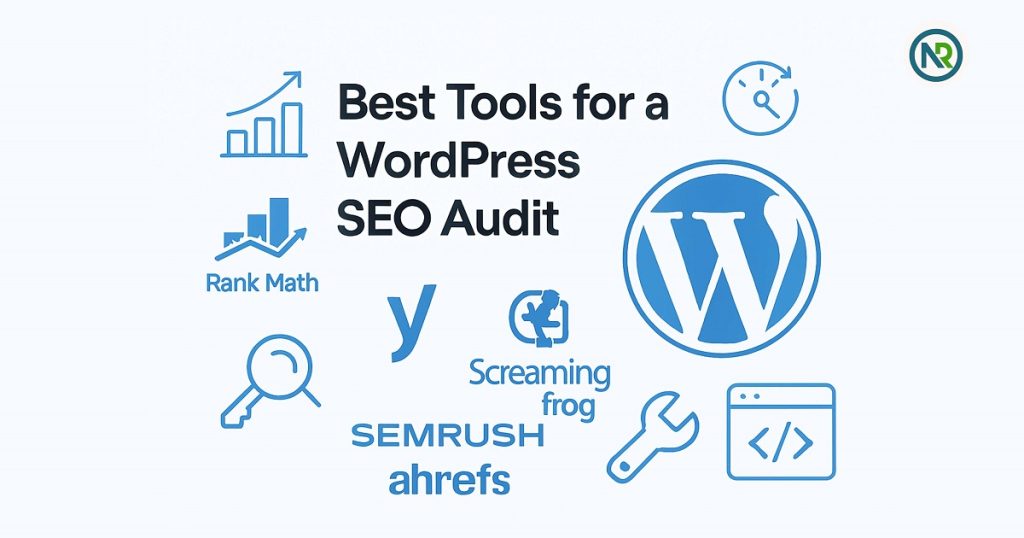
Best Tools for a WordPress SEO Audit
If you’re diving into an SEO audit for your WordPress site, the right tools can make a huge difference. I’ve tried a bunch of tools over the years, and here’s a list of the ones I trust most. Whether you’re new to SEO or a seasoned pro, these tools will help you get the job done right.
✅ Rank Math (Free & Paid)
- Why I Love It: It’s a game-changer for on-page SEO. The free version has almost everything you need, and the paid version gives you even more features, like advanced analytics.
- What It Does: Helps with keyword optimization, schema markup, and overall site health.
- My Experience: I switched to Rank Math a year ago, and the ease of use plus its detailed insights made my audits faster and more accurate.
Quick tip: Install Rank Math early in your SEO journey. It’ll help you spot opportunities for better ranking right from the start.
✅ Yoast SEO (Free & Paid)
- Why I Love It: Yoast is one of the most popular tools for a reason—it’s reliable, user-friendly, and great for beginners.
- What It Does: Offers SEO analysis, readability checks, and XML sitemaps.
- My Experience: I’ve used Yoast on all my smaller projects. It’s intuitive and perfect for optimizing your posts without feeling overwhelmed.
Quick tip: Yoast’s “Readability” feature is a lifesaver if you’re new to SEO. It helps ensure your content is accessible to a wider audience.
✅ Screaming Frog (Paid)
- Why I Love It: This tool is like a Swiss Army knife for SEO audits. It’s thorough, and you can analyze nearly every aspect of your website.
- What It Does: Crawls your site, identifies technical issues, broken links, duplicate content, and much more.
- My Experience: I use Screaming Frog for deep-dive audits. It’s helped me find some major issues I would have missed otherwise—like broken links or improperly set up redirects.
Quick tip: It’s a bit technical, but once you get the hang of it, you’ll wonder how you ever lived without it.
✅ SEMrush (Paid)
- Why I Love It: SEMrush is the complete package for SEO professionals. It gives you everything from Competitor keyword research to site audits and backlink analysis.
- What It Does: Provides detailed reports on traffic, keywords, and overall site health.
- My Experience: It’s one of my go-to tools for keyword research. I’ve used SEMrush to pinpoint the exact terms that could drive more traffic to my site.
Quick tip: Set up SEMrush to track your site’s keywords over time. Watching your rankings improve will keep you motivated!
✅ Ahrefs (Paid)
- Why I Love It: Ahrefs is a powerhouse for link building and competitor analysis Guide. It’s incredibly detailed and gives you an edge over competitors.
- What It Does: Provides insights into backlinks, site health, keyword rankings, and more.
- My Experience: Ahrefs has been essential in my strategy to outrank competitors. It’s particularly helpful when I’m conducting a backlink audit or checking how I compare to others in my niche.
Quick tip: Use Ahrefs to find broken backlinks on your site. Fixing them will give you a quick SEO boost.
With these tools in your toolkit, you’ll have everything you need to run a comprehensive SEO audit for your WordPress site. Each tool serves a unique purpose, and when used together, they’ll give you a complete view of your site’s health.
Quick tip: No need to break the bank—start with free versions of Rank Math and Yoast, then upgrade as you see results and need more features.
What are Common WordPress SEO Audit Mistakes to Avoid
We’ve all been there—starting out with a new WordPress site and thinking we’ve covered everything for SEO, only to find out later that we missed something big. I’ve made my share of mistakes during SEO audits, and trust me, learning from them has been a game-changer. Let’s dive into the most common mistakes I’ve made and how you can avoid them!
✅ Over-Optimization of Keywords
It’s easy to get carried away with keywords. The temptation to add as many as possible in every corner of your page is real. But here’s the thing: keyword stuffing doesn’t help you rank better. In fact, it can harm your rankings.
- My Mistake: Early on, I stuffed my content with keywords like crazy, thinking it would help. Google didn’t like it, and my rankings actually dropped.
- Solution: Focus on natural keyword usage. Use keywords in a way that makes sense to your readers and search engines.
Quick tip: Write for humans, not just search engines. If it sounds forced, it probably is.
✅ Ignoring Mobile Friendliness
If your site isn’t mobile-friendly, you’re losing visitors—and rankings. With more people browsing on their phones, a site that’s not optimized for mobile is a huge mistake.
- My Mistake: I neglected mobile optimization on some of my earlier projects, thinking most visitors were on desktops. Big mistake! My bounce rate skyrocketed.
- Solution: Use Google’s Mobile-Friendly Test to make sure your site looks great on phones and tablets.
Quick tip: Always check mobile performance before making any big changes.
✅ Slow Hosting
I used to think speed was all about image optimization, but it’s also about hosting. A slow server can drag down your rankings no matter how well you optimize your site.
- My Mistake: I once stuck with an inexpensive hosting provider, and my site was crawling. Even after optimizing everything, it was still slow.
- Solution: Invest in quality hosting. It’ll save you time and headaches in the long run.
Quick tip: Test your hosting performance with tools like GTmetrix to identify any issues that might be affecting speed.
✅ Missing Title Tags and Meta Descriptions
It’s easy to overlook the small details, but title tags and meta descriptions are essential. If you’re not optimizing them, you’re missing out on valuable SEO real estate.
- My Mistake: I forgot to optimize title tags and meta descriptions for some of my posts. This resulted in lower click-through rates (CTR) from search engines.
- Solution: Use plugins like Yoast SEO to make sure every page has optimized title tags and meta descriptions.
Quick tip: Keep title tags under 60 characters and meta descriptions under 160 to avoid truncation in search results.
✅ Not Performing Regular Audits
SEO isn’t a one-time task. It’s an ongoing process. Not doing regular audits is one of the biggest mistakes you can make.
- My Mistake: I did an SEO audit once and called it a day. As my site grew, I missed out on key updates and optimizations.
- Solution: Set up a regular audit schedule. I recommend doing it quarterly or after any major changes.
Quick tip: Automate reminders for audits using Google Calendar or a task management tool.
By avoiding these common SEO audit mistakes, you’ll be setting your WordPress site up for success. Remember, SEO isn’t about perfection—it’s about consistent, smart improvements that add up over time. Happy auditing!
Final Checklist Before You Finish
You’ve done the hard work and run a thorough SEO audit for your WordPress site—well done! But before you wrap things up, here’s a final checklist to ensure you don’t miss any crucial steps and stay on track for success.
✅ Summary of All Steps
- Check site health: Did you fix any crawl errors or broken links?
- Optimize on-page SEO: Have you updated title tags, meta descriptions, and headers?
- Mobile-friendliness & speed: How does your site perform on mobile devices and desktops?
- Content audit: Have you checked for keyword usage, content duplication, and relevance?
- Internal linking: Did you organize your site’s structure and linking for easier navigation?
- Technical settings: Are your robots.txt and sitemaps in check?
- Plugin conflicts: Have you cleaned up unnecessary plugins and avoided bloat?
Quick tip: Double-check every section to ensure nothing slips through the cracks.
✅ What to Track Going Forward
Your SEO work isn’t over once the audit’s done. It’s important to track your progress and stay updated with performance. Here’s what I recommend:
- Google Analytics: Keep an eye on traffic, bounce rate, and conversions. This helps you measure the impact of your audit.
- Google Search Console (GSC): Look for improvements in your indexing, crawl errors, and overall site health.
- Rankings & Backlinks: Track keyword rankings regularly and monitor backlinks using tools like Ahrefs or SEMrush.
Quick tip: Set up custom dashboards in Google Analytics to track specific SEO metrics easily.
✅ Set Calendar Reminders for Your Next Audit
SEO is an ongoing process. Don’t let your site go stale—set reminders for future audits. Here’s what I do to stay on top of things:
- Set quarterly reminders: Every three months is a great time to perform a fresh audit.
- Monitor changes after major updates: Big updates or content changes? Audit soon after to ensure everything’s still in tip-top shape.
Quick tip: Use Google Calendar or your favorite app to schedule regular audit reminders.
💡 Need Help with Your SEO Audit?
If you’re feeling overwhelmed or want professional guidance, Nurul Reach can help! Whether you’re new to SEO or need a deep dive audit, I’m here to guide you every step of the way. Let’s make sure your WordPress site ranks higher and performs better.
With this final checklist, you’re all set to keep your WordPress site running smoothly and ranking higher. Stay on top of your SEO, and remember, if you need support, Nurul Reach has got your back! Happy auditing!
Q1: What is a WordPress SEO audit and why do I need one?
A WordPress SEO audit is a process to evaluate and improve your website’s SEO performance. It helps fix issues and boosts your site’s visibility, speed, and user experience.
Q2: How do I perform an SEO audit for my WordPress site?
To perform an SEO audit for your WordPress site, check site health, review on-page SEO, test speed and mobile friendliness, and audit content quality. Use tools like Google Search Console.
Q3: What are the best tools for a WordPress SEO audit?
Some of the best tools for a WordPress SEO audit are Rank Math, Yoast SEO, SEMrush, Screaming Frog, and Ahrefs. These tools help you analyze and improve your site’s SEO performance.
Q4: How often should I do an SEO audit for WordPress?
You should do an SEO audit for WordPress every 3 months or after major updates. Regular audits keep your site performing well and improve rankings over time.
Q5: Why is SEO important for WordPress websites?
SEO is crucial for WordPress websites because it helps improve visibility in search engines, attract more visitors, and enhance user experience. It’s key to long-term website success.
Q6: How can I improve my website’s ranking with an SEO audit?
To improve your website’s ranking, ensure your site is mobile-friendly, loads fast, and has optimized content and keywords. Fix technical issues, like broken links and slow pages.
Q7: Can I perform a WordPress SEO audit without paid tools?
Yes, you can perform a WordPress SEO audit with free tools like Google Search Console, Rank Math, and PageSpeed Insights. They offer valuable insights to improve your site’s performance.
Q8: What common mistakes should I avoid during a WordPress SEO audit?
Avoid over-optimizing keywords, ignoring mobile optimization, and missing regular audits. Not addressing slow hosting or technical issues can also harm your site’s rankings.
Q9: How do I track the progress of my WordPress SEO audit?
Track the progress of your SEO audit using Google Analytics for traffic and conversions. Google Search Console also helps monitor indexing, crawl errors, and overall site health.
Q10: Should I hire a professional for my WordPress SEO audit?
If you’re new to SEO or lack time, hiring a professional can help. A skilled expert can perform in-depth audits, fixing issues and boosting your site’s ranking quickly.
